Homebrew Patch: Adding Whimsy and Color to Your Projects
What Exactly is a Color Font?
You know the feeling when a project needs more than just a flat color on a white background. You want texture. You want depth. You want that "hand-made" vibe without spending hours painting individual letters. That is where Homebrew Patch enters the picture. It is not just another typeface; it is a specific kind of design asset known as a color font, or more technically, an OpenType-SVG font.
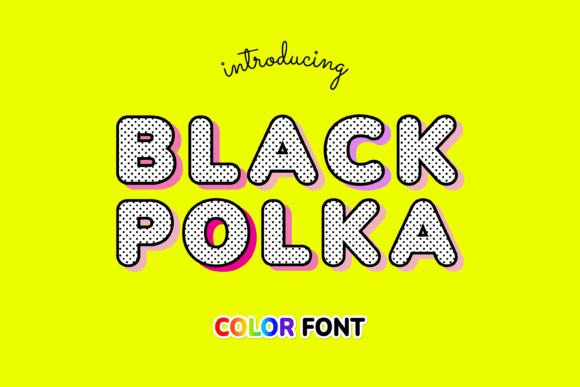
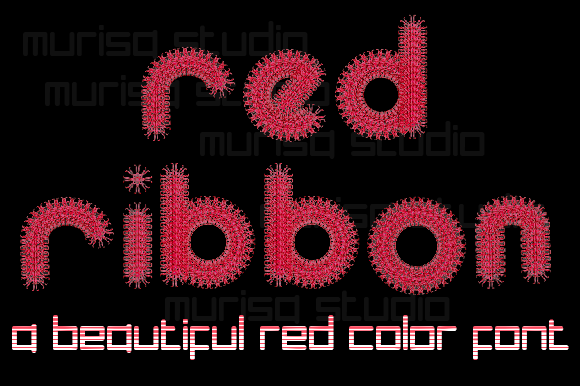
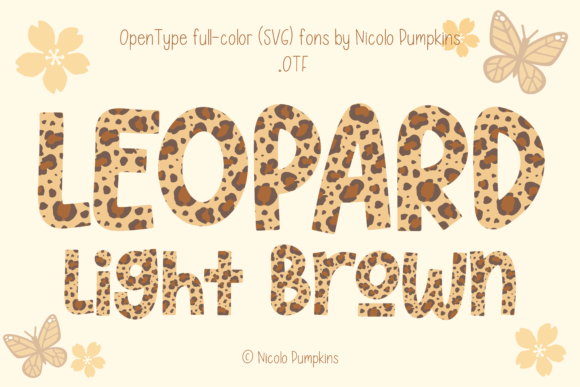
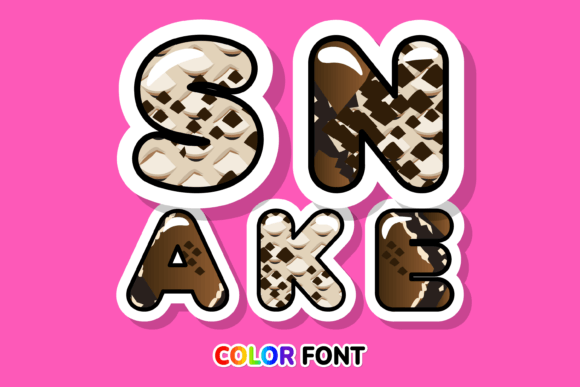
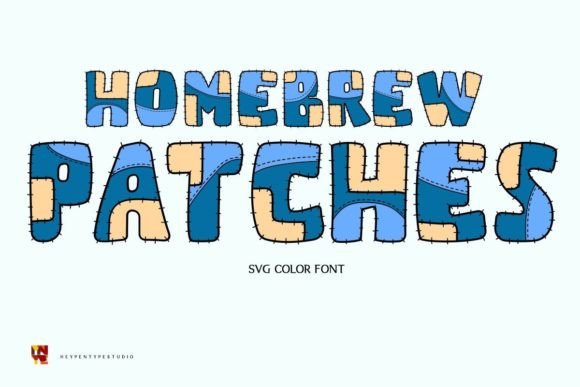
Unlike a standard serif font or sans serif font that relies on vector outlines filled with a single color, a color font contains actual bitmap data or multi-layered vectors inside the font file itself. When you type "A," you get a letter that already has shading, texture, and multiple colors baked in. With Homebrew Patch, you get a chunky lettered font that feels like it was cut out of construction paper or stamped with ink. It retains that authentic, tactile quality that digital designs often lack.
Think of it as a shortcut to high-impact visual hierarchy. Because the letters are already designed to be eye-catching, you do not need to add drop shadows or complex layering styles in your design software. You simply type, and the design is ready to go.
Finding the Right Fit: Where Homebrew Patch Shines
One of the most common mistakes in graphic design is using a display typeface for body copy. You would never set a 500-word blog post in Homebrew Patch. It is designed for impact, not readability at small sizes. Its personality is bold, playful, and loud. It demands attention, which makes it a powerhouse for specific applications.
For brand identity, this font is a strong contender for brands targeting children, families, or the education sector. If you are designing a logo for a summer camp, a daycare center, or a line of organic baby food, this typeface communicates safety, fun, and approachability immediately. It works exceptionally well in packaging design, especially for products that need to stand out on a crowded shelf. The "patch" aesthetic suggests something homemade or crafted, which appeals to consumers looking for authenticity.
In the realm of digital design and social media graphics, engagement is everything. Scrollers move fast. A static, boring font gets ignored. However, the vibrant nature of Homebrew Patch acts as a pattern interrupt. It is excellent for:
- YouTube Thumbnails: The chunky letters remain legible even at small sizes on mobile screens.
- Instagram Stories: Use it for call-to-action stickers or headline text to grab attention instantly.
- Web Design: While you shouldn't use it for navigation menus, it creates stunning hero section headers for lifestyle blogs or event pages.
For physical goods, this is a top-tier creative font. Consider editorial design for school yearbooks, flyers for local fairs, or menu designs for family-friendly restaurants. The font carries a sense of joy that sterile corporate fonts simply cannot replicate.
Technical Considerations and Workflow
As a design professional, I have to stress the importance of technical compatibility. Homebrew Patch is a premium font utilizing OpenType-SVG technology. This is a crucial distinction. It means the font file contains vector outlines with color fills and transparency, allowing for that textured, multi-color look.
However, this technology has limits. It requires software that supports the SVG table in the OpenType specification. You can use Homebrew Patch seamlessly in Adobe Photoshop, Adobe Illustrator, and Inkscape. These applications recognize the embedded color data and render the font correctly.
There is a specific caveat for the crafting community. If you are a hobbyist or small business owner using a Cricut machine, this font will not work natively. Cricut Design Space does not currently support the color data in SVG fonts, and often struggles to parse the outlines of such complex files. However, it works well with Silhouette software. If you are a Cricut user, you would need to convert the text to a shape or outline in Illustrator first to cut the silhouette, but you would lose the multi-color fill capability.
Pairing and Hierarchy
When building a layout with Homebrew Patch, you need a grounding element. Because the font is so stylistic, it pairs best with clean, neutral typefaces. I recommend pairing it with a geometric sans serif font for subheadings and body text. This contrast allows the display font to do the heavy lifting for the headline while the sans serif keeps the information legible.
Avoid pairing it with a script font or another handwritten font. That creates visual chaos and hurts the user experience. The goal of modern typography is clarity. Let Homebrew Patch be the star of the show, and use simpler fonts to support it.
Maximizing Your Investment
Choosing a font is an investment in your project's success. When you select a typeface like Homebrew Patch, you are buying more than just letters; you are buying a specific mood. Before finalizing your design, always test the font with your actual copy. Check the kerning (the space between letters) to ensure the chunky elements don't overlap awkwardly, though OpenType-SVG fonts usually handle spacing well by default.
Check the included styles. Often, design assets like this come with alternates or symbols that can add extra flair to your work. Look for dingbats or swashes that might complement your layout.
Finally, respect the license. If you are using this for a client's logo or on merchandise you intend to sell, ensure you have the appropriate commercial license. A commercial font license protects both you and the type foundry, ensuring you can use the asset legally in your marketing materials and products.
Homebrew Patch is more than just a font; it is a tool for storytelling. It tells your audience that your brand is approachable, fun, and creative. By integrating this typeface into your toolkit, you open up new possibilities for projects that need a burst of personality and color. Whether you are crafting a poster, designing a t-shirt, or building a brand from scratch, this font provides the visual punch needed to make your work memorable.